MEPCO Bill Payment – Complete Guide to Pay MEPCO Electricity Bill Online
Paying your electricity bill is now easier than ever. Consumers of Multan Electric Power Company (MEPCO) can quickly pay their electricity bills using digital banking apps, mobile wallets, ATMs, or physical payment centers.
On this page, you will learn all available methods to pay your MEPCO bill online and offline, step-by-step instructions, and the safest payment channels available in Pakistan.
If you have not checked your latest bill yet, visit our MEPCO Bill Check tool to view and download your duplicate electricity bill instantly.
MEPCO bill payment refers to the process of paying your electricity charges issued by Multan Electric Power Company (MEPCO).
Customers receive monthly electricity bills containing:
- Reference number
- Customer ID
- Units consumed
- Current bill amount
- Due date
- Late payment surcharge
To avoid power disconnection or extra charges, the bill must be paid before the due date.
How to Pay MEPCO Bill Online
The easiest way to pay electricity bills today is through online payment systems.
Steps to pay your bill online:
- First check your bill using our MEPCO Bill Checker.
- Note your 14 digit reference number.
- Open your mobile banking app or wallet.
- Go to Bill Payment section.
- Select Electricity → MEPCO.
- Enter the reference number.
- Confirm and complete payment.
After payment, the bill status will update automatically in the MEPCO system.
Mobile Banking Apps That Support MEPCO Bill Payment
Many banking applications in Pakistan allow secure electricity bill payments.
Popular apps include:
- JazzCash
- EasyPaisa
- HBL Mobile
- UBL Digital
- Meezan Bank Mobile App
These apps allow bill payments 24 hours a day without visiting banks.
Paying MEPCO Bill Using Mobile Wallets
Digital wallets are one of the fastest ways to pay electricity bills.
Pay Through JazzCash

Steps:
- Open the JazzCash app
- Tap Bill Payment
- Select Electricity
- Choose MEPCO
- Enter your reference number
- Confirm payment
Pay Through EasyPaisa
Steps:
- Open the EasyPaisa app
- Select Bill Payment
- Select Electricity
- Choose MEPCO
- Enter your bill reference number
- Confirm the payment
MEPCO Bill Payment Through Credit or Debit Card
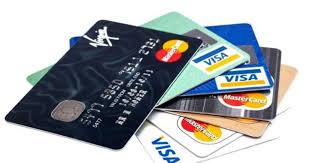
You can also pay your electricity bill through online banking portals using Visa or Mastercard debit and credit cards.
Steps:
- Log in to your internet banking account
- Go to Utility Bill Payments
- Select electricity provider
- Choose MEPCO
- Enter the reference number
- Complete payment
ATM Bill Payment Method
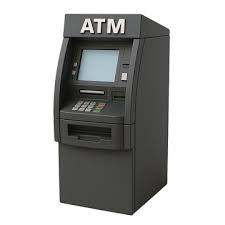
Electricity bills can also be paid using ATMs of major banks.
Steps:
- Insert your ATM card
- Enter your PIN
- Select Utility Bills Payment
- Choose electricity provider
- Choose MEPCO
- Enter your reference number
- Confirm payment
Bank Branch Payment
Consumers who prefer traditional payment methods can pay their bills at any bank branch.
Steps:
- Visit your nearest bank branch
- Take the printed bill copy
- Pay the amount at the cashier counter
- Receive payment receipt
Via Daraz Wallet
Now, you can pay your bills via daraz wallet. For this purpose, your Daraz wallet must have the required amount. You can recharge your Daraz wallet through a bank card, and the bill payment process is almost similar to other apps.
Follow the steps to pay your electricity bills via the app, which is made for online shopping.
- Open the Daraz app on your smartphone.
- Create your account and add a wallet.
- Recharge your wallet via bank card.
- Navigate the “Bill Payment” option in the Daraz app.
- Select the electricity bill and then select MEPCO.
- Enter your reference number.
- Choose “Daraz Wallet” as your payment option.
- Click on the “Pay” button, and the payment will be deducted from your Daraz wallet.

Post Office Payment
Pakistan post has a large network of over 3000 outlets throughout Pakistan for collection of utility bills in order to facilitate consumers from all walks of life. The Day Post Offices collect electricity, telephone and gas bills from 9:00 AM to 4:00 PM. Whereas, all GPOs, and Night Post Offices offer this facility from 9:00 AM to 9:00 PM. On Friday, prayer and lunch break is observed from 12:30 PM to 3:00 PM..
Advantages:
- accessible in rural areas
- reliable government payment system
- official payment receipts
Learn more at the official website of Pakistan Post.
Authorized Retailer Payment
Many retail shops and franchises offer electricity bill collection services.
Examples include:
- JazzCash retailers
- EasyPaisa agents
- bank collection points
These retailers can scan the bill barcode and accept cash payments.
MEPCO Bill Due Date and Late Payment Charges
Every electricity bill contains a due date. If payment is not made before this date, a late payment surcharge will be added to the bill.
Late payment consequences include:
- extra charges
- possible electricity disconnection
- reconnection fee
Always check your latest bill through our MEPCO Duplicate Bill Page before the due date.
Taxes in MEPCO Bills
Tips to Avoid Late Electricity Bill Payments
To ensure uninterrupted electricity supply, follow these tips:
- set payment reminders on your phone
- enable automatic bill payments in banking apps
- check your bill early each month
- keep your reference number saved
You can also explore our Online Electricity Bill Checker to quickly access utility bills.
Verify Your MEPCO Bill from the Official Source
You can also verify your electricity bill details directly from the official PITC billing portal for additional confirmation and accuracy.
Visit Official Website →